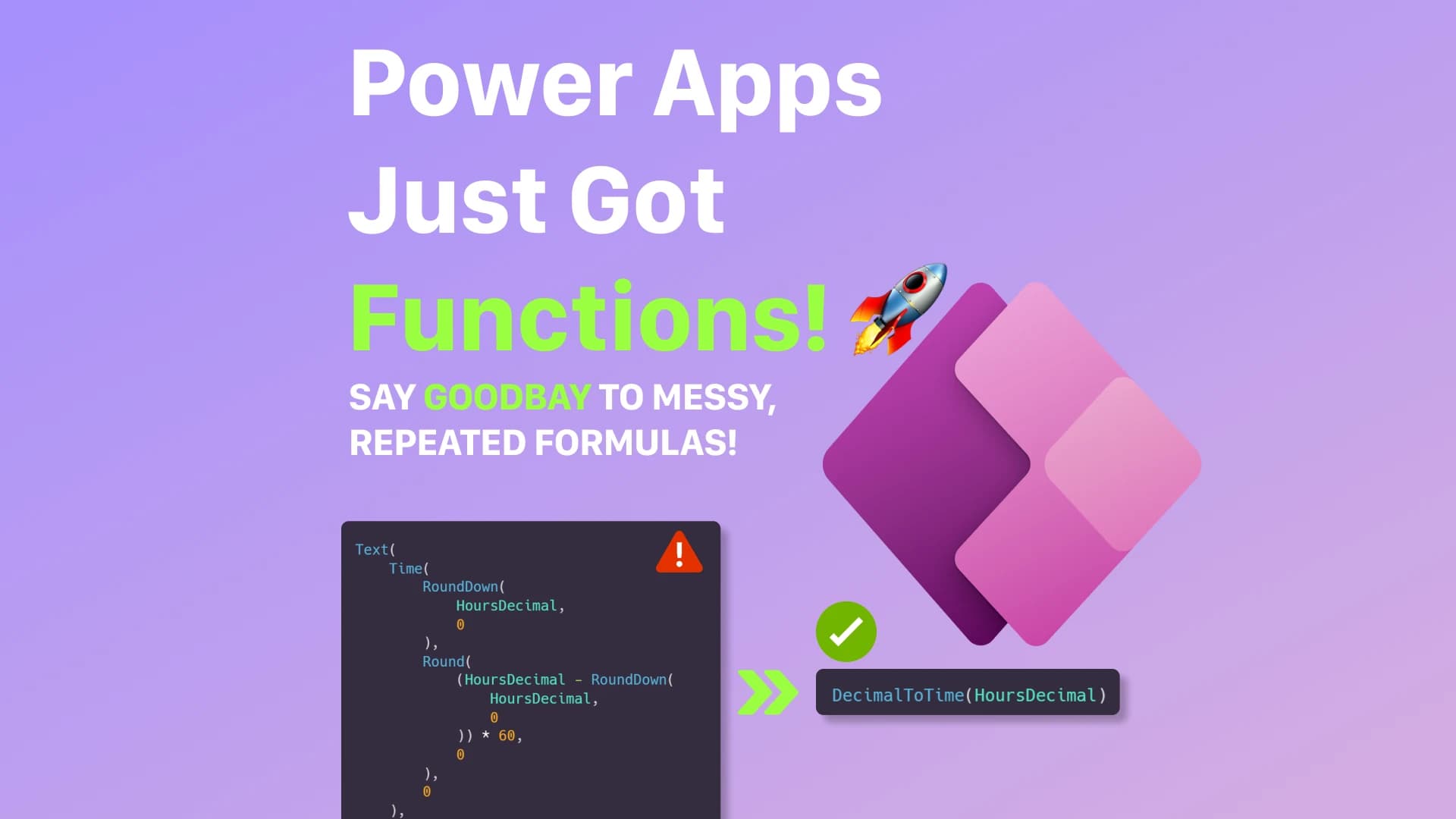
For a long time, Power Apps makers had to repeat the same formulas again and again across screens, controls, and components.
Complex logic often ended up:
- duplicated
- hard to maintain
- difficult to debug
- inconsistent across the app
And the bigger the app became, the worse the problem got.
That is where user-defined functions can make a big difference.
With Power Apps user-defined functions, you can create reusable, parameterized Power Fx logic that behaves much more like traditional functions in software development.
Instead of copying the same formula everywhere:
👉 define the logic once
👉 reuse it anywhere
👉 maintain it in one place
In this article, you’ll learn how Power Apps user-defined functions work, how to enable them, and how to build a practical function that converts decimal time values like 9.5 into proper time format like 09:30.
What Are User-Defined Functions in Power Apps?
User-defined functions allow you to create your own reusable Power Fx functions inside Power Apps.
They help you:
- encapsulate reusable logic
- pass parameters into formulas
- return a result
- reduce duplicated Power Fx expressions
- improve readability
- make apps easier to maintain
Think of them as custom Power Fx functions that you define once and call whenever you need them.
Instead of repeating this type of logic across multiple controls:
Text(
    Time(
        RoundDown(
            HoursDecimal,
            0
        ),
        Round(
            (HoursDecimal - RoundDown(
                HoursDecimal,
                0
            )) * 60,
            0
        ),
        0
    ),
    "[$-en-US]hh:mm"
)
You can define a reusable function and call it like this:
DecimalToTime(9.5)
This makes your app cleaner, easier to read, and easier to scale.
Why User-Defined Functions Matter
In real-world Power Apps applications, repeated formulas are one of the fastest ways to create technical debt.
You often see the same logic repeated in:
- labels
- galleries
- buttons
- forms
- components
- validation rules
- visibility conditions
At first, this feels harmless.
But when the business logic changes, you need to find every place where the formula was copied.
That is risky.
It can easily lead to:
❌ inconsistent behavior
❌ missed updates
❌ duplicated logic
❌ harder debugging
❌ poor long-term maintainability
User-defined functions solve this by creating a single source of truth for reusable logic.
How to Enable User-Defined Functions in Power Apps
User-defined functions may need to be enabled in Power Apps settings depending on your environment.
To enable them:
- Open your Power Apps canvas app
- Go to Settings
- Open Upcoming features
- Enable New analysis engine
- Enable User-defined functions
- Save and reopen the app if needed

Basic Syntax of Power Apps User-Defined Functions
User-defined functions are written in Power Fx.
The basic syntax looks like this:
FunctionName(ParameterName: Type): ReturnType = Formula
Example:
AddNumbers(a: Number, b: Number): Number = a + b
Now you can call it anywhere in your app:
AddNumbers(5, 3)
Result:
8
This is simple, but the real value appears when you use functions for repeated business logic.
Real-World Example: Convert Decimal Time to Time Format
A common business scenario is working with decimal time values.
For example:
9.5  → 09:30
14.25 → 14:15
7.75 → 07:45
This often happens when time values come from:
- Excel files
- SQL databases
- planning tools
- time registration systems
- ERP systems
- external APIs
Power Apps does not automatically convert decimal hours into formatted time in every scenario.
So we can create a reusable function.
Step 1: Understand the Logic
Let’s take this value:
9.5
This means:
9 hours + 0.5 hour
And:
0.5 * 60 = 30 minutes
So:
9.5 = 09:30
The logic is:
- Extract the full hours
- Convert the decimal part into minutes
- Build a time value
- Format the result as text
Step 2: Extract the Hours
To get the hour part, use RoundDown():
RoundDown(9.5, 0)
Result:
9
This gives us the full hours without the decimal part.
Step 3: Calculate the Minutes
To get the decimal part, subtract the full hours from the original value:
9.5 - RoundDown(9.5, 0)
Result:
0.5
Then multiply it by 60:
(9.5 - RoundDown(9.5, 0)) * 60
Result:
30
Now we have the minutes.
Step 4: Create the User-Defined Function
Now we can turn the logic into a reusable Power Apps function.
Add this to App.Formulas:
DecimalToTime(decimalHours: Number): Text =
    Text(
        Time(
            RoundDown(
                decimalHours,
                0
            ),
            Round(
                (decimalHours - RoundDown(
                    decimalHours,
                    0
                )) * 60,
                0
            ),
            0
        ),
        "[$-en-US]hh:mm"
    )
This function:
- accepts a decimal number
- extracts the hour part
- calculates the minutes
- creates a time value
- returns formatted text
Step 5: Use the Function in Power Apps
Now you can use the function anywhere in your app.
Example:
DecimalToTime(9.5)
Result:
09:30
Another example:
DecimalToTime(14.25)
Result:
14:15
And another one:
DecimalToTime(7.75)
Result:
07:45
Why This Is Better Than Repeating Formulas
Without user-defined functions, the same formula often gets copied into multiple controls.
That creates problems.
If the logic needs to change, you must update it everywhere.
With user-defined functions:
✅ logic lives in one place
✅ formulas become easier to read
✅ changes apply everywhere
✅ debugging becomes easier
✅ app architecture becomes cleaner
✅ long-term maintainability improves
This is especially useful in enterprise Power Apps where apps grow over time and business rules change frequently.
Real-World Use Cases for User-Defined Functions
User-defined functions can be useful in many Power Apps scenarios.
For example:
- formatting dates
- formatting time values
- calculating business rules
- validating inputs
- converting values
- generating display text
- checking user roles
- standardizing labels
- reusable mathematical calculations
- reusable UI logic
Instead of repeating the same formula everywhere, you can centralize it.
Best Practices for Power Apps User-Defined Functions
When using user-defined functions, I recommend following these best practices:
- keep functions small and focused
- use clear function names
- use clear parameter names
- return one predictable result
- avoid unnecessary complexity
- avoid duplicating business logic
- document what the function expects
- document what the function returns
A good function should be easy to understand when someone else opens the app later.
User-Defined Functions vs App.Formulas
User-defined functions and named formulas are closely related.
Named formulas are great for reusable values:
PrimaryColor = RGBA(67, 252, 213, 1)
User-defined functions are better when you need parameters:
DecimalToTime(decimalHours: Number): Text = ...
Use named formulas when the value does not need input.
Use user-defined functions when the logic needs parameters.
You can also improve app maintainability by centralizing reusable values with App.Formulas:
👉 How to Centralize Configuration in Power Apps
Important Considerations
User-defined functions are powerful, but they should still be used carefully.
They are best for:
- reusable calculations
- formatting logic
- validation logic
- parameterized expressions
- repeated Power Fx formulas
They are not a replacement for backend architecture.
For heavy data processing, complex transformations, or large-scale integrations, it may still be better to use:
- SQL views
- stored procedures
- APIs
- Azure Functions
- Dataverse server-side logic
Power Apps should stay focused on UI and app experience.
Heavy processing should usually live outside the app.
Final Thoughts
User-defined functions are a major improvement for Power Apps development.
They help reduce duplication, improve readability, and make apps easier to maintain.
For small apps, this is useful.
For enterprise Power Apps, it can become essential.
The more your app grows, the more valuable reusable logic becomes.
If you are building serious Power Apps solutions, user-defined functions are one of the patterns you should understand and start using.
The Rule to Remember
If you repeat the same Power Fx formula more than once:
👉 consider turning it into a user-defined function.
Reusable logic creates cleaner apps.
Cleaner apps are easier to scale.