Building Power Apps often starts simple.
A few screens.
A couple of dropdowns.
Some colors and formulas.
Everything feels manageable.
But as the app grows, one problem appears very quickly:
👉 duplication.
The same values start appearing everywhere across the application.
- dropdown items
- colors
- environment-specific settings
- reusable expressions
- labels
- business logic
At first, this seems harmless.
But over time, maintaining the app becomes increasingly difficult.
In this guide, you’ll learn how to centralize configuration in Power Apps using App.Formulas. This approach helps you reduce duplication, improve maintainability, and create cleaner enterprise-grade Power Platform applications.
Why Centralized Configuration Matters
In small apps, repeating values may not seem like a problem.
In enterprise Power Apps solutions, however, duplication quickly becomes a maintenance issue.
Without centralized configuration, you often end up with:
❌ hardcoded values across screens
❌ inconsistent UI behavior
❌ duplicated Power Fx expressions
❌ difficult maintenance
❌ fragile applications that are hard to scale
This becomes especially problematic when:
- multiple developers work on the app
- the app grows over time
- environments change
- business rules evolve
- branding needs updating
A small change can suddenly require updates in dozens of different places.
That is where App.Formulas becomes extremely valuable.
The Solution: App.Formulas
App.Formulas provides a clean way to centralize reusable values and expressions inside your Power Apps application.

Instead of repeating values across screens and controls:
👉 define them once
👉 reuse them everywhere
This creates a much cleaner architecture and significantly improves maintainability.
What You Can Centralize in App.Formulas
App.Formulas can be used for much more than simple variables.
Common scenarios include:
- dropdown values
- application colors
- reusable expressions
- user information
- labels and text
- environment configuration
- API endpoints
- role-based settings
- feature toggles
- reusable business logic
Step 1: Centralize Dropdown Values
One of the most common use cases is reusable dropdown data.

Without App.Formulas, developers often repeat the same arrays multiple times across the app.
For example:
["EMEA", "AMER", "APAC"]
This quickly creates duplication.
Instead, define the value once in App.Formulas:
Regions = ["EMEA", "AMER", "APAC"]
Now reuse it everywhere:
Regions
This creates a single source of truth for your dropdown configuration.

Step 2: Centralize Colors
Hardcoded colors are another very common problem in Power Apps.
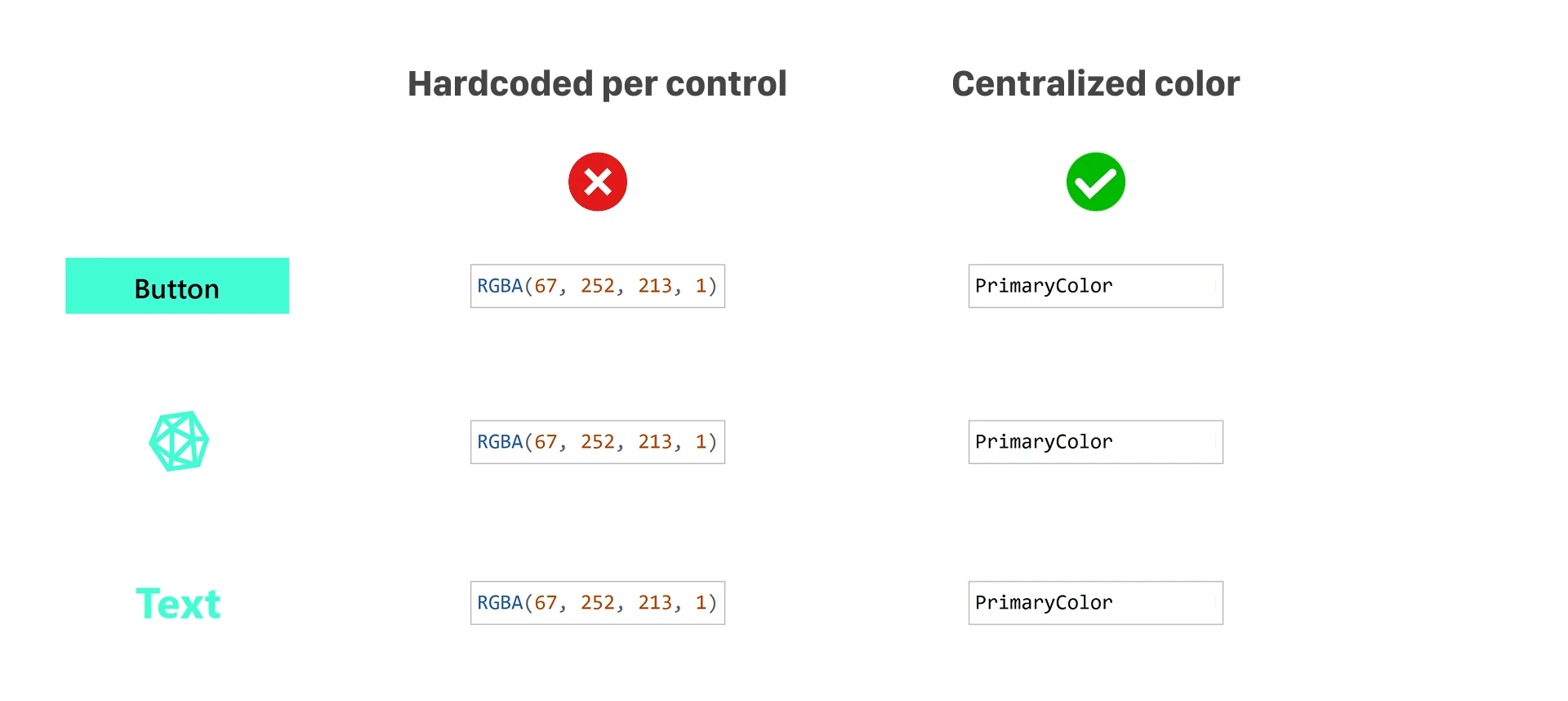
Without centralized configuration, the same color values often appear throughout dozens of controls.
Example:
RGBA(67, 252, 213, 1)
Instead, define reusable theme colors:
PrimaryColor = RGBA(67, 252, 213, 1)
SecondaryColor = RGBA(30, 41, 59, 1)
Reuse them everywhere:
PrimaryColor
This makes UI updates dramatically easier and helps keep the application visually consistent.
Step 3: Centralize Reusable Expressions
App.Formulas is also extremely useful for reusable Power Fx expressions.

Instead of repeating logic:
"Welcome " & User().FullName
Create reusable formulas:
UserName = User().FullName
WelcomeText = "Welcome " & UserName
Then reuse:
WelcomeText
This reduces repeated logic and makes formulas significantly easier to maintain.

Real-World Enterprise Scenarios
This approach becomes especially powerful in enterprise Power Platform projects.
For example, you can centralize:
- API base URLs
- environment settings
- feature flags
- role configuration
- reusable status values
- email templates
- user-facing labels
- application themes
This creates significantly cleaner architecture and reduces maintenance overhead across large applications.
Benefits of Using App.Formulas
Once you centralize configuration in Power Apps, you gain several important advantages.
✅ Single source of truth
✅ Reduced duplication
✅ Easier maintenance
✅ More consistent UI
✅ Cleaner Power Fx formulas
✅ Better scalability
✅ Faster updates
✅ Improved readability
Instead of searching through the entire app for repeated values, you update them once.
Important Considerations
App.Formulas is not intended to replace every variable inside your application.
It works best for:
- reusable values
- shared expressions
- application-wide configuration
- static or semi-static settings
For temporary state management, context variables and collections are still important.
Final Thoughts
Most Power Apps applications do not become difficult because of complexity.
They become difficult because of duplication.
Centralizing configuration with App.Formulas is a simple improvement that can dramatically increase maintainability, scalability, and consistency.
This is one of those small architectural decisions that makes a very big difference over time.
Especially in enterprise Power Platform projects.
One Question
Are you already using App.Formulas in your Power Apps projects?
Or are you still repeating the same values across screens and components? 👇